


Endoscope Camera Connector
3.61.28K Reviews
App Specs
- Version
- 24
- Updated On
- License
- Free
- Downloads
- 100,000+
- Developer
- FastSoft
- Categories
- Libraries & Demo
- Platform
- Android
Screenshots
 Analysis by AppCompare
I judge a phone-connected inspection camera by more than the picture on screen: the connection has to be dependable enough to make a tight, awkward job feel manageable. Endoscope Camera Connector is aimed at that practical moment, when a regular camera cannot reach and you want to view the feed on a mobile device. It is a free app from FastSoft in the libraries and demo category, with an Everyone age rating, and its appeal is straightforward: pair a compatible endoscope and use your phone as the viewing point.
What the connection changes in everyday use
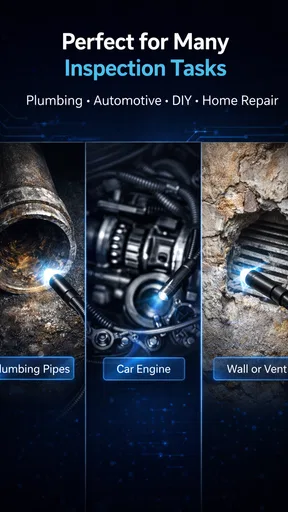
An endoscope is useful because its camera can go where your hand and phone cannot. The phone app matters because it gives you a screen while you guide the camera, rather than requiring you to guess what the lens is seeing. That makes the setup especially handy for a quick check behind an appliance, into a pipe opening, or around a cramped engine bay. The app is not a substitute for the camera hardware; the cable, connector, lens and illumination still shape what you can see.
Before relying on it for a job, I would treat compatibility as the first practical question, not an afterthought. Check that the endoscope connector and your phone’s connection method match, and test the arrangement in a simple, well-lit place before reaching into a difficult spot. A connector that fits physically does not guarantee that every camera and phone combination will behave the same way. A short trial can save you from discovering a mismatch after you have already opened a panel or moved furniture.
Where a connected inspection camera earns its place
The strongest use case is a visual check that would otherwise involve guesswork or unnecessary disassembly. For example, if something small rolls under a cabinet, the phone screen can help you steer the camera toward it before you decide whether moving the cabinet is worthwhile. With a household repair, a quick look into an accessible opening may help you locate the area that needs attention. These are inspection tasks, not a promise that the app can diagnose a fault or make a repair for you.
For a mechanic or electrician, the value is similar: a view around an obstruction can help narrow down where to look next. I would still use professional inspection equipment when the job demands dependable documentation, precise measurements, or a safety-critical assessment. A phone and consumer endoscope make a useful first look, but a fuzzy image or uncertain angle can lead to the wrong conclusion. If the finding matters, verify it with the appropriate tools rather than treating the app’s image as proof.
Getting a useful view without wasting time
A small workflow change makes this kind of setup easier to use: connect and check the image before inserting the camera, then adjust the camera’s direction in short movements while watching the screen. It is tempting to push farther when the image looks confusing, but a slow turn or a slight withdrawal may reveal more than forcing the lens onward. Keep track of which way the camera is facing; in a narrow space, the view can feel disorienting, and moving the cable does not always produce the direction you expect.
Lighting deserves its own check. A dark cavity can make even a working camera feed hard to interpret, and the app cannot create detail the lens does not capture. If the image is dim, try changing the viewing angle or using the endoscope’s own lighting controls if the hardware provides them. Clean the lens before a close inspection, too: a smear right in front of the camera can look like a defect deeper inside. These simple checks are more useful than repeatedly changing settings without knowing whether the problem is the app, camera or scene.
Worth Reading Before You Choose

EA SPORTS FC Mobile 26 Is a Bigger Football Game, but It Takes Time

Flipboard Shows What News Apps Must Do Beyond the Feed

Switching to Android Auto Means Rethinking Your Driving Routine

Google Calendar Makes a Crowded Week Easier to Manage

Ludo King Makes the Most of the Minutes Between Plans

Baby Panda World Brings Quick Play to Modern Phones, but Its Game Library Feels Busy
Network questions and mobile contexts
For this kind of inspection, the connection between the phone and the endoscope is the key link. I would not plan the task around an internet connection; instead, check the camera’s own connection requirements and follow its instructions for pairing or plugging in. That distinction matters in a basement, garage or other place where mobile reception may be weak. The exact setup can depend on the camera and phone, so a test at home is a sensible step before taking the equipment to a work site.
The mobile format is convenient, but it also brings ordinary phone constraints into the job. A phone can be awkward to hold while one hand guides a flexible camera, especially when you are leaning over a sink or reaching into a cabinet. I find it helps to arrange the work area first: put the phone somewhere stable and visible, leave enough slack in the cable, and keep the endoscope handle within reach. This reduces the chance of pulling the connector loose while you are concentrating on the image.
When the picture or connection goes wrong
If the screen stays blank, start with the physical basics rather than assuming the app has failed: check that the plug is fully seated, that the camera is powered as intended, and that the lens is not covered. Then disconnect and reconnect carefully, giving the phone a moment to recognize the device. If the camera works with another compatible setup, the issue may be the phone or connection method; if it fails everywhere, the endoscope itself is a more likely place to investigate. This kind of step-by-step check is less frustrating than repeatedly reopening the app without changing anything.
When the feed appears but looks poor, separate connection trouble from image trouble. A stable but dark or blurry picture points toward lighting, focus, lens condition or camera quality; a feed that repeatedly cuts out suggests checking the connection and cable movement. Avoid twisting or sharply bending the cable while testing, since that can make a marginal connection harder to assess. I would also capture a short test image before starting a longer inspection, so there is a quick way to confirm that the view is usable.
Saving evidence and being thoughtful with files
Images and video can be useful when you need to compare what you saw with a later repair, or explain a hidden problem to someone who is not beside you. Keep the capture focused: a still image is often easier to review than a long recording, while video can help when movement or orientation is important. Before sharing, check that the frame shows the relevant detail and does not accidentally include unrelated personal material. That is a practical habit for any camera app, particularly when you are inspecting someone else’s property or working in a shared space.
I would avoid treating a saved clip as a complete record of the condition. The camera only shows the angle it reached, and a compressed or poorly lit image may hide important detail. If documentation matters, note where the camera was inserted and what direction it faced, then take another view from a different angle when possible. That context can prevent a later viewer from reading too much into a single close-up.
Who will appreciate it, and who may prefer another tool
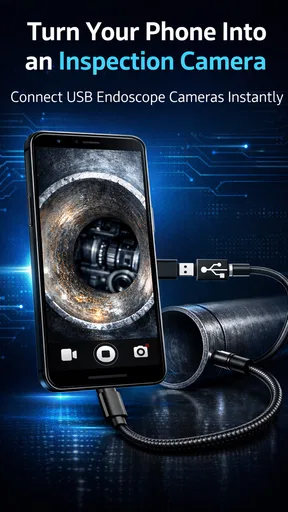
This app makes most sense for someone who already has a compatible USB OTG endoscope and wants a phone-based way to inspect tight spaces. DIY users, curious homeowners and people who occasionally check equipment can benefit from having a view before taking things apart. It is less compelling if you do not own the camera hardware, expect the app alone to provide inspection capability, or need a polished professional reporting workflow. The app is the viewing companion; the endoscope remains essential.
Compared with using a regular phone camera, an endoscope setup reaches around corners and into narrow openings, but the trade-off is a less natural view and more dependence on cable handling and lighting. Compared with a dedicated inspection monitor, a phone may be a convenient screen you already carry, while dedicated equipment can be a better choice for frequent or demanding work. A simple flashlight and mirror may still be quicker for a broad, visible area. I would choose the endoscope when access is the real obstacle, not just because the app is available.
How the app fits its category
Endoscope Camera Connector sits among library and demo-style utilities rather than broad photo editors or general camera tools. That narrow purpose is a strength when you need to turn a compatible inspection camera into a live phone view; there is little reason to expect it to replace a full camera suite. FastSoft’s app has an average rating of 3.7 from around 7.5 thousand ratings, and it has passed 100 thousand installs. Those figures suggest a modest but established audience, though they cannot tell you whether your particular phone and endoscope will work together.
The app first appeared on July 2, 2020, and its current version is 24. It is free and supports devices running Android 7.0 or later. For a prospective user, those details make it easy to try without paying upfront, but compatibility still deserves a test with the actual camera. The app has around 1.3 thousand written reviews, yet I would put more weight on a successful connection with your own hardware than on any general rating.
Privacy-conscious use starts with deciding what you really need to record. A live inspection may be enough; if you save media, keep only the clips that help you track or explain the issue and share them deliberately. I would also avoid recording people or private areas incidentally while positioning the camera. These are not complicated rules, but they help keep a practical repair tool from creating unnecessary files or awkward surprises.
My overall view is that Endoscope Camera Connector is worth considering when the camera hardware is already in hand and the job calls for seeing into a space a phone cannot reach. Its usefulness depends heavily on the endoscope, the connector and the phone working together, so I would test those pieces before relying on it. If you need detailed inspection records, guaranteed compatibility, or a robust professional setup, choose equipment designed for that standard. For occasional hands-on checks, though, a careful connection and a little patience can make this a genuinely useful extra way to see what is hidden.
Diving into the Features
First things first, let's talk about the setup. The Endoscope Camera Connector app is compatible with both Android and iOS devices, which is a win in my book because it means more people can join the fun. The installation process is straightforward. Just download the app, plug in your endoscope, and you’re good to go!
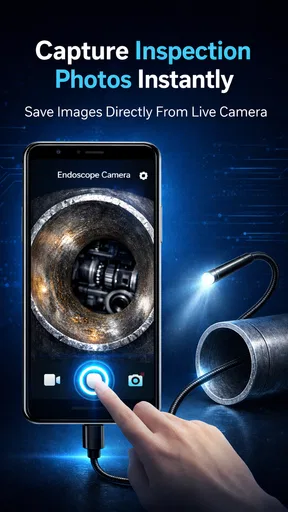
Once you're in, the app interface greets you with a user-friendly design. Trust me, you won’t need a manual to navigate through it. The main screen offers options to adjust the camera settings, like brightness and resolution, so you can customize the view according to your needs. There’s even a recording feature that allows you to capture videos and take snapshots directly through the app. Handy, right?
Performance & Usability
Now, on to the performance. I tested the app with a few different endoscope models, and it handled them like a champ. The video feed was smooth, and the real-time viewing capability was spot-on. No lag, no fuss. Just make sure your endoscope is of decent quality, as the app can only do so much with a subpar device.
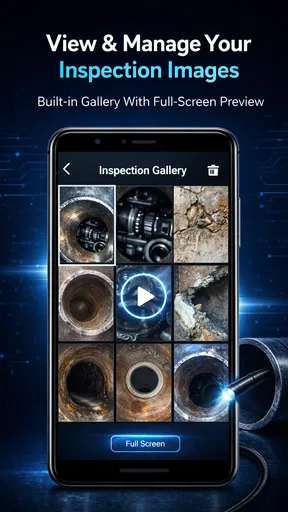
One of the standout features is the app’s ability to save images and videos directly to your phone. It organizes them neatly, making it easy to find that crucial image or video clip later on. Plus, sharing those files with friends or colleagues is seamless, thanks to the integrated sharing options. Whether it's an automotive issue or a plumbing problem, you can show off your findings without breaking a sweat.
Practical Applications
The Endoscope Camera Connector isn’t just a tool for the tech-savvy. It’s perfect for anyone who needs a closer look at those hidden spots. Whether you’re a DIY enthusiast trying to fix a leaky pipe or a curious cat owner wondering what’s stuck under the couch, this app has got your back.
For professionals, like mechanics and electricians, this app can be a game-changer. It allows for a thorough inspection without the need to dismantle entire sections. Just whip out your phone, connect the endoscope, and start exploring.
A Few Things to Ponder
While the app performs admirably, it's not without its quirks. One thing to note is the occasional compatibility issue with older phone models. If your device is a bit long in the tooth, you might run into some hiccups. Also, the app's reliance on the endoscope’s own lighting might not always provide the best visibility in darker areas. A built-in light control feature in the app would be a welcome addition.
Furthermore, while the interface is intuitive, a few advanced features or settings for power users could enhance its appeal. It would be great to see options for more in-depth customization, like adding filters or annotations directly on the captured media.
Final Thoughts
All in all, the app is a solid app that fulfills its promises. It’s easy to use, performs well, and brings a whole new level of convenience to inspections. Whether you're a professional or just someone who enjoys DIY projects, this app is worth having in your toolkit.
So, if you’re ready to explore those unreachable spots and capture everything in detail, give this app a try. It might just become your new best friend for all those tricky inspections.
Pros
- Easy setup with clear instructions.
- Compatible with multiple endoscope models.
- High-quality video streaming.
- User-friendly interface design.
- Supports image and video recording.
Cons
- Occasional connectivity issues.
- Limited compatibility on older devices.
- Requires additional hardware purchase.
- Some features are locked behind paywall.
- Battery drain during prolonged use.
FAQs for Endoscope Camera Connector
What is the Endoscope Camera Connector app used for?
The Endoscope Camera Connector app is designed to connect your smartphone to an endoscope camera, allowing you to view and record live footage directly on your device. This app is especially useful for inspections in hard-to-reach areas such as pipes, machinery, or even for medical purposes in a professional setting.
Is the Endoscope Camera Connector app compatible with all smartphones?
The app is compatible with most Android and iOS smartphones. However, compatibility may vary depending on your device's operating system and hardware specifications. It's advisable to check the app's requirements on the download page to ensure it supports your phone model and OS version.
What features does the Endoscope Camera Connector app offer?
The app provides features such as live video streaming, video and image capture, and adjustable viewing modes like zoom and brightness control. Some versions may include advanced features like image rotation and video playback, enhancing its utility for various inspection tasks.
Does the Endoscope Camera Connector app require an internet connection?
No, the app does not require an internet connection to function. It connects directly to the endoscope camera via USB or Wi-Fi, depending on your camera's capabilities. This makes it ideal for use in locations where internet access is limited or unavailable.
Are there any additional costs associated with using the Endoscope Camera Connector app?
The app itself may be free or come with a one-time purchase fee, depending on the developer. However, some features or advanced options might be locked behind in-app purchases. It’s important to review the app’s description for any potential costs before downloading.


